This guide explains how to use the Ceyltra website and its features, helping you plan a smooth, worry free Sri Lankan travel experience from creating an account to booking transport, hotels, tours and more.
1. Creating an Account & Logging In
To unlock personalized features such as bookings, saved favorites, and profile management, you’ll need to create a Ceyltra account.
How to Sign Up
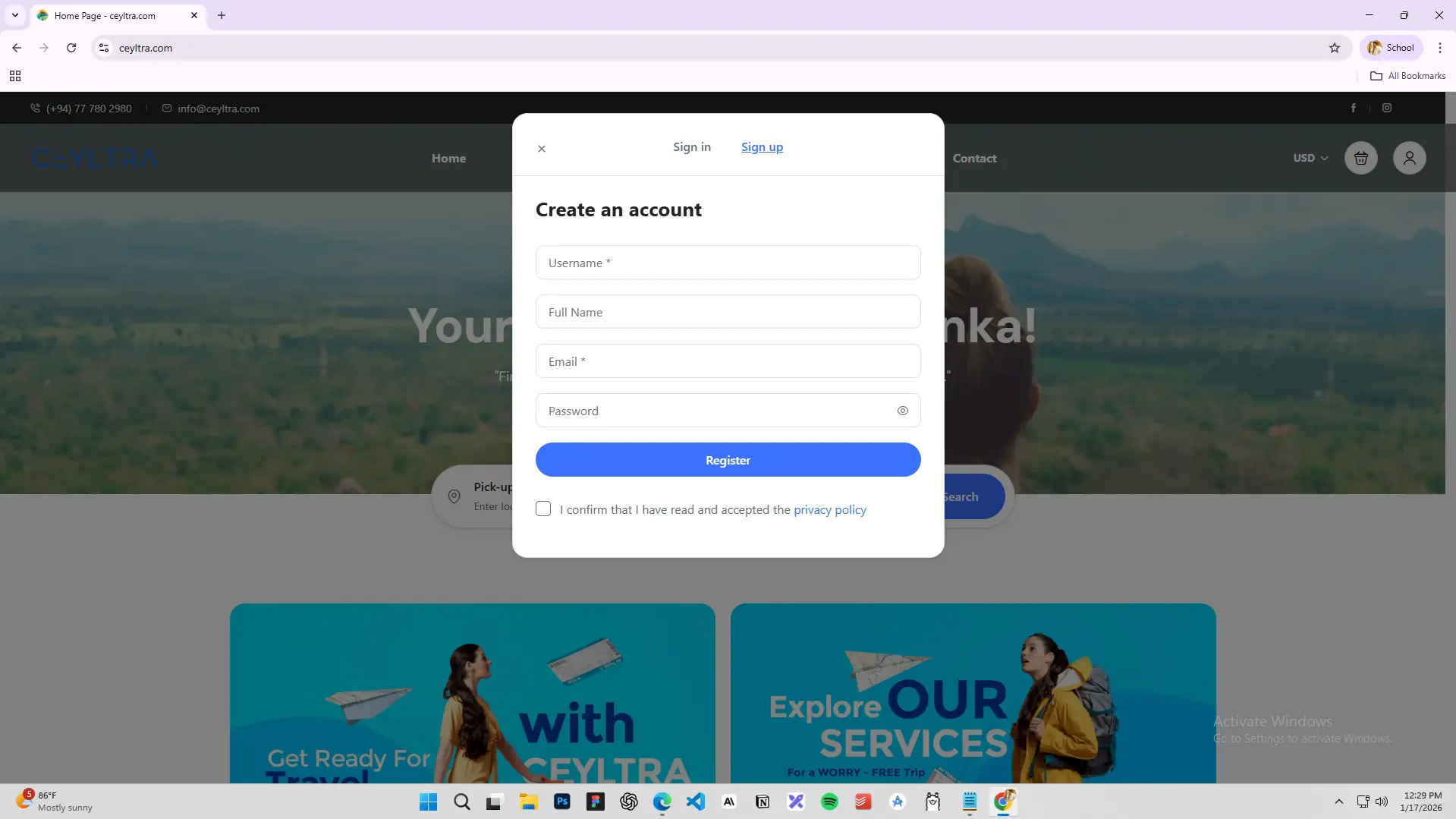
Click the user icon in the top-right corner of the homepage.
Select Sign up from the login window.
Complete the registration form by entering:
Username (required)
Full Name
Email address (required)
Password (required)
Read and accept the Privacy Policy by ticking the checkbox.
Click the blue Register button.
Once registered, you can log in anytime using your username and password to:
Update your profile details
Manage your bookings
Save favorite tours and stays
2. Changing the Website Currency
Ceyltra supports multiple currencies to make pricing clear and convenient for travelers from around the world.
How to Change Currency
Locate the currency selector at the top-right corner of the website (default: USD).
Click the dropdown menu.
Choose your preferred currency:
USD – US Dollar
EUR – Euro
AUD – Australian Dollar
LKR – Sri Lankan Rupee
All prices across the website will instantly update to reflect your selected currency.
3. Booking a Taxi (Car Transfer)
Ceyltra offers reliable car transfers to help you travel comfortably between destinations.
How to Book a Taxi
On the homepage, find the search bar with Pick-up and Drop-off fields.
Enter your pick-up location (e.g., Hikkaduwa).
Enter your drop-off destination (e.g., Colombo International Airport).
Click Search.
Browse available vehicles with journey pricing.
Choose a vehicle type:
Sedan Car
Flat-Roof Van
High-Roof Van
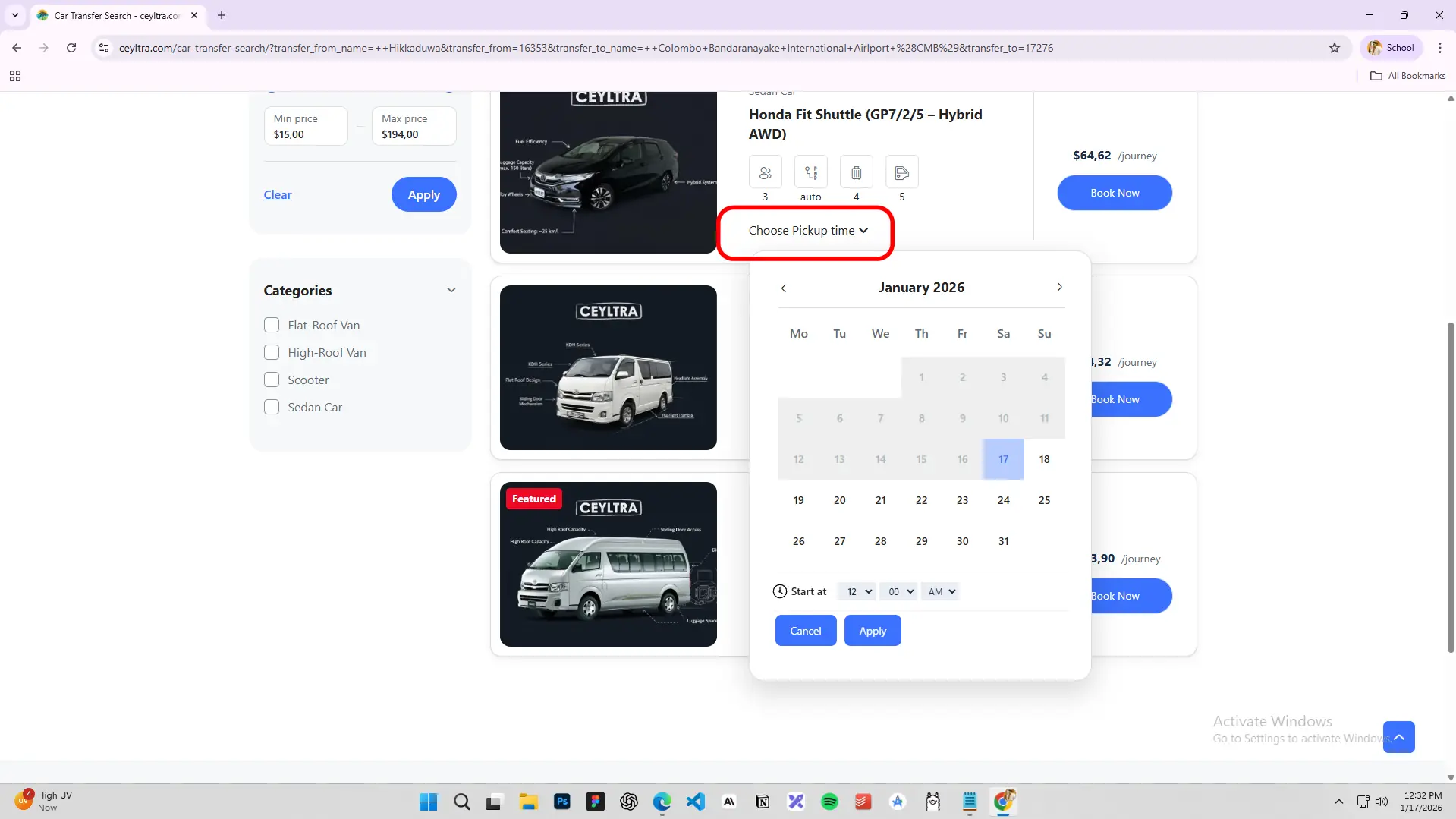
Select your pickup date and time.
Review passenger capacity, luggage space, and features.
Click Book Now to confirm your transfer.
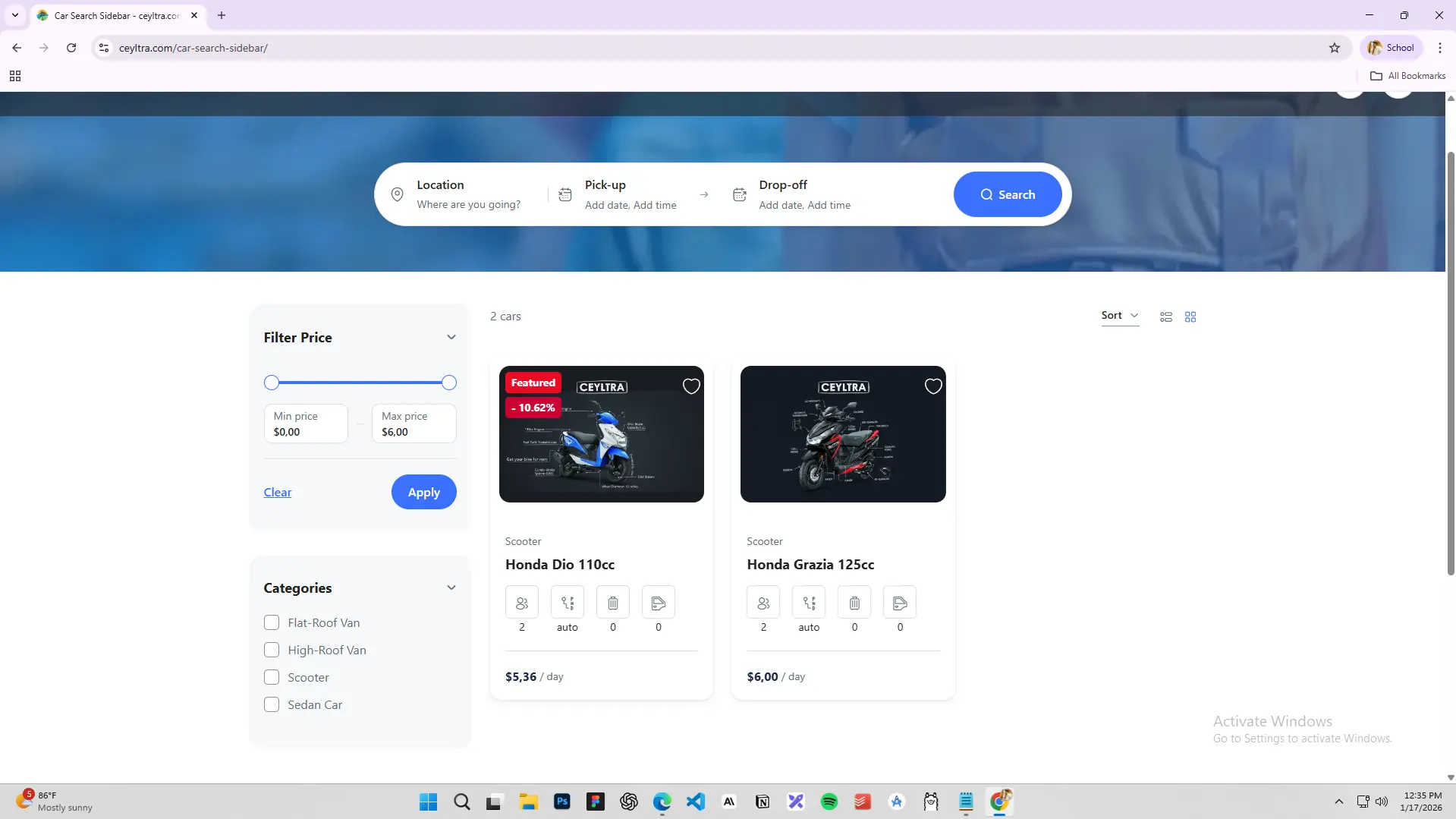
Filters on the left allow you to sort by price range and vehicle category.
4. Inquiring About Tours
Explore Sri Lanka’s culture, nature, and heritage through Ceyltra’s curated tour experiences.
How to Inquire About a Tour
Click Tours from the main navigation menu.
Browse or search for a tour (e.g., Galle One Day Experience).
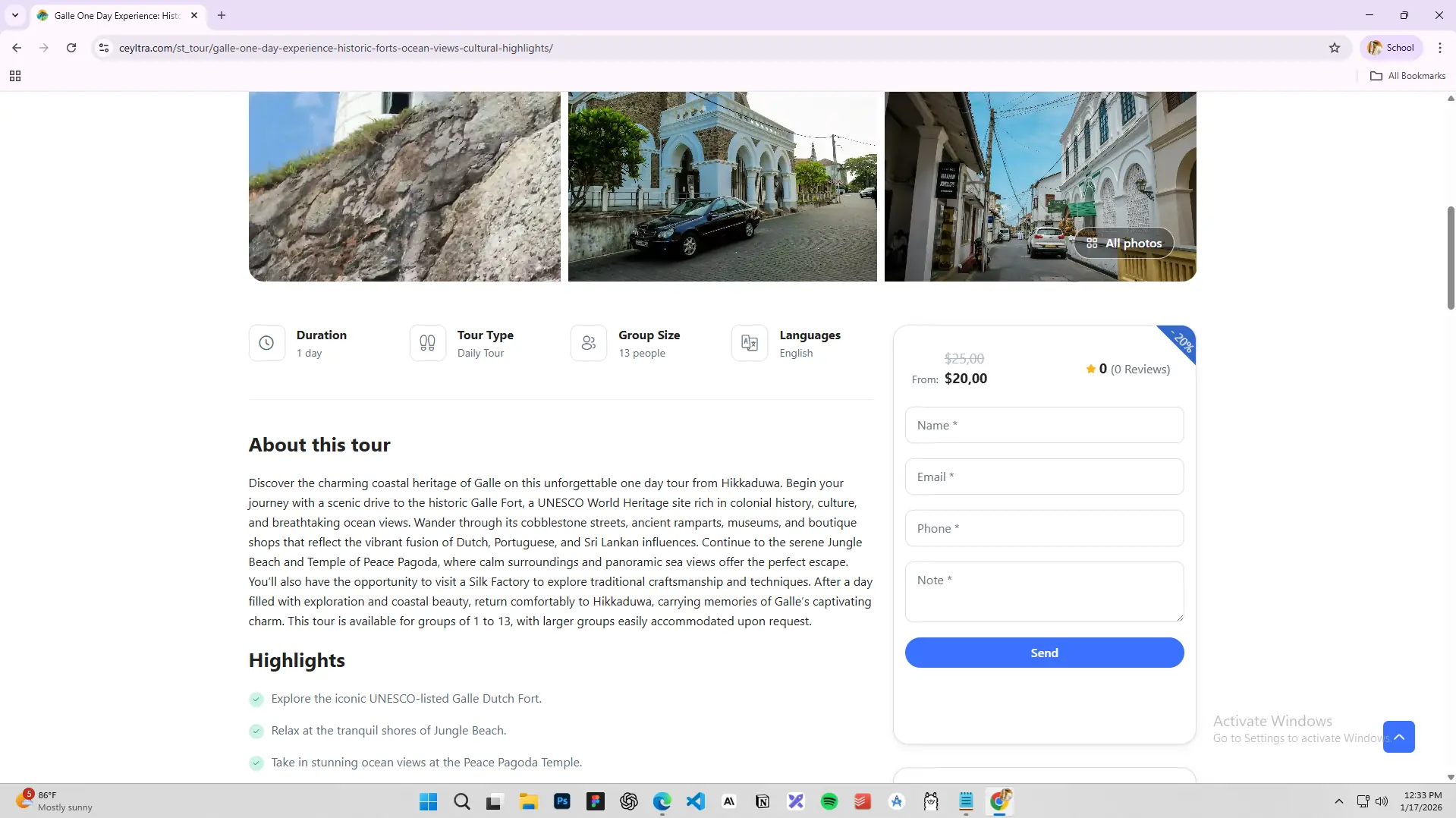
Review tour details including:
Duration
Tour type
Group size
Pricing
Scroll to the About this tour section for highlights.
Complete the inquiry form with:
Your name
Email address
Phone number
Any special requests or questions
Click Send.
5. Finding Hotels on Ceyltra
Book hotels and accommodations across Sri Lanka with ease.
How to Search for Hotels
Click Hotels in the main menu.
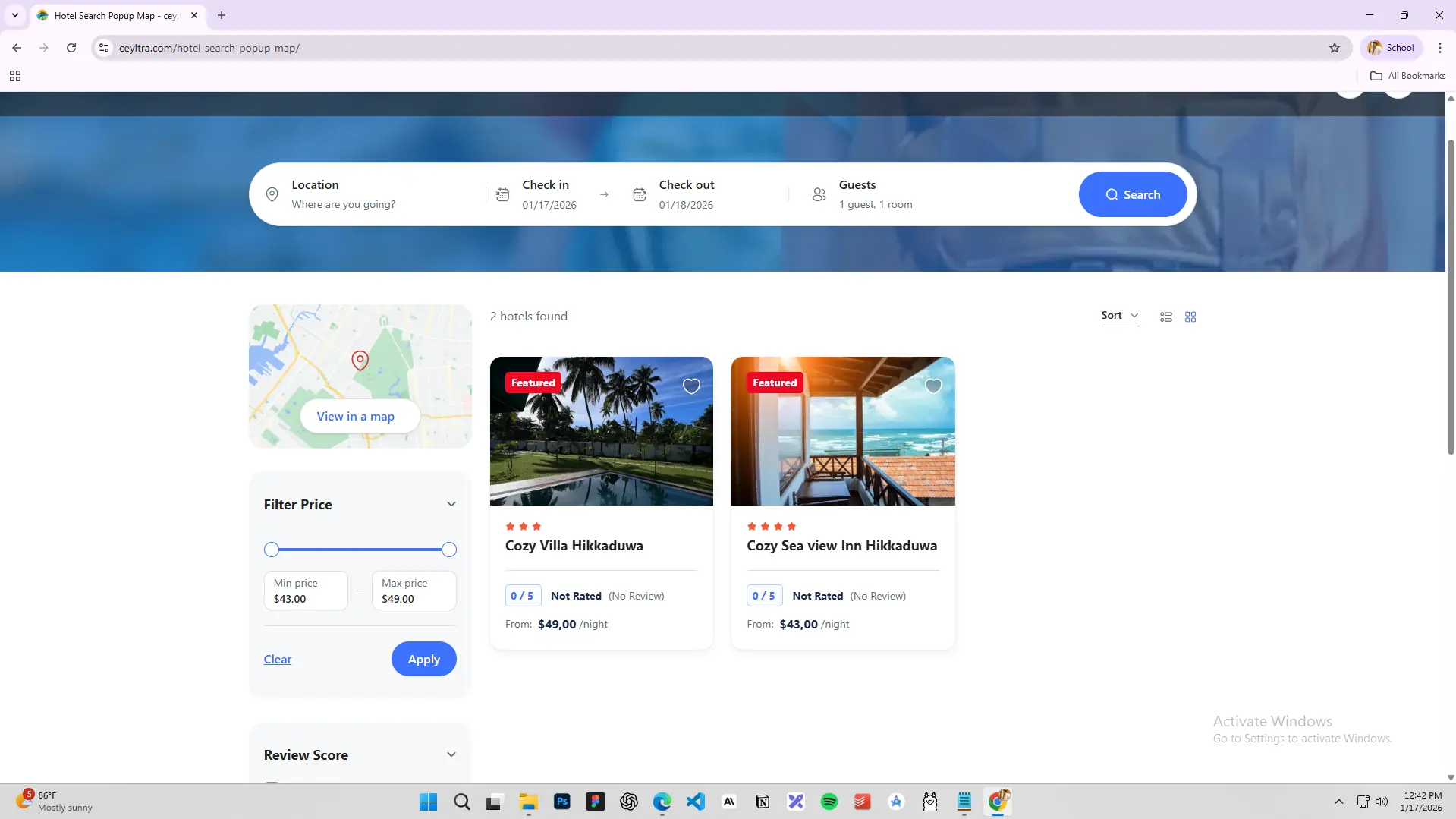
Enter your destination.
Select check-in and check-out dates.
Choose the number of guests and rooms.
Click Search.
Browse hotels with photos, ratings, and prices.
Use filters to refine results by:
Price range
Review score
Amenities
View hotel locations using View on Map.
Select a hotel and click Book Now.
6. Renting Scooters & Vehicles
Enjoy flexible travel with Ceyltra’s scooter and vehicle rental services.
How to Rent a Scooter or Vehicle
Click Rentals in the main menu or Cars Rental from the homepage.
Enter your location.
Select pickup and drop-off dates and times.
Click Search.
Browse available vehicles.
Filter by category:
Scooter
Sedan Car
Flat-Roof Van
High-Roof Van
Review vehicle details such as:
Passenger capacity
Transmission type
Luggage space
Features
Check daily rental rates.
Click Book Now to reserve.
Featured rentals may include discounts.
7. Reviewing Ceyltra Services
Your feedback helps improve our services and assists fellow travelers.
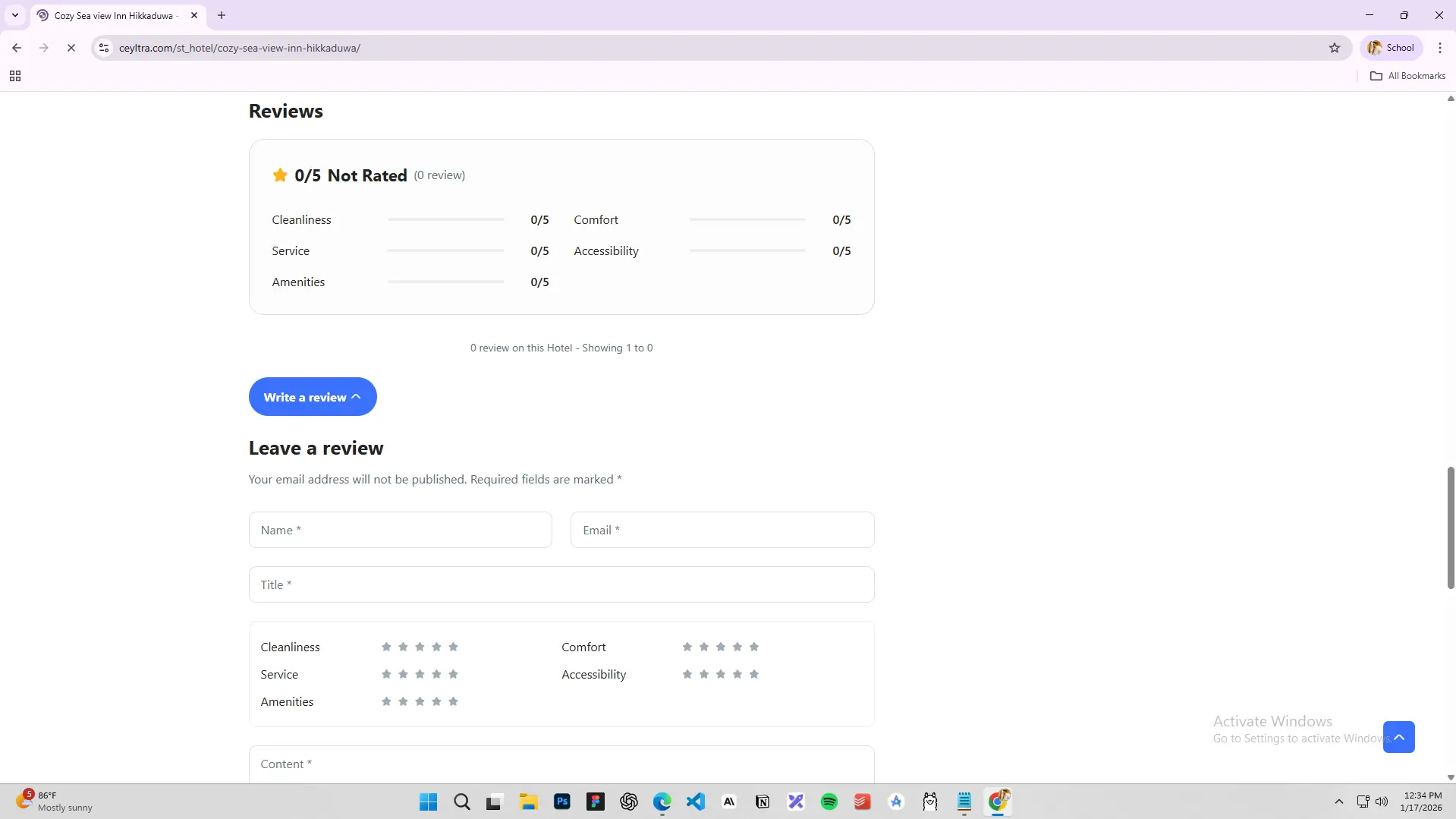
How to Leave a Review
Visit a service page you’ve used (Tours, Hotels, Rentals, Activities).